Learn System Design
2025-04-09
Category: Computer Science
Building PicShare: A Beginner-Friendly System Design Journey
Welcome to the story of PicShare, a photo-sharing platform that evolves from a basic app to a highly scalable system serving millions. In this post, we’ll walk through real-world system design concepts applied step by step in a practical way.
PHASE 1: BUILDING THE FOUNDATION
📡 Client-Server Architecture
PicShare starts as a simple web app. When a user opens it on their phone or computer (client), they send requests to your server. The server processes those requests (e.g., uploading a photo) and sends back responses.
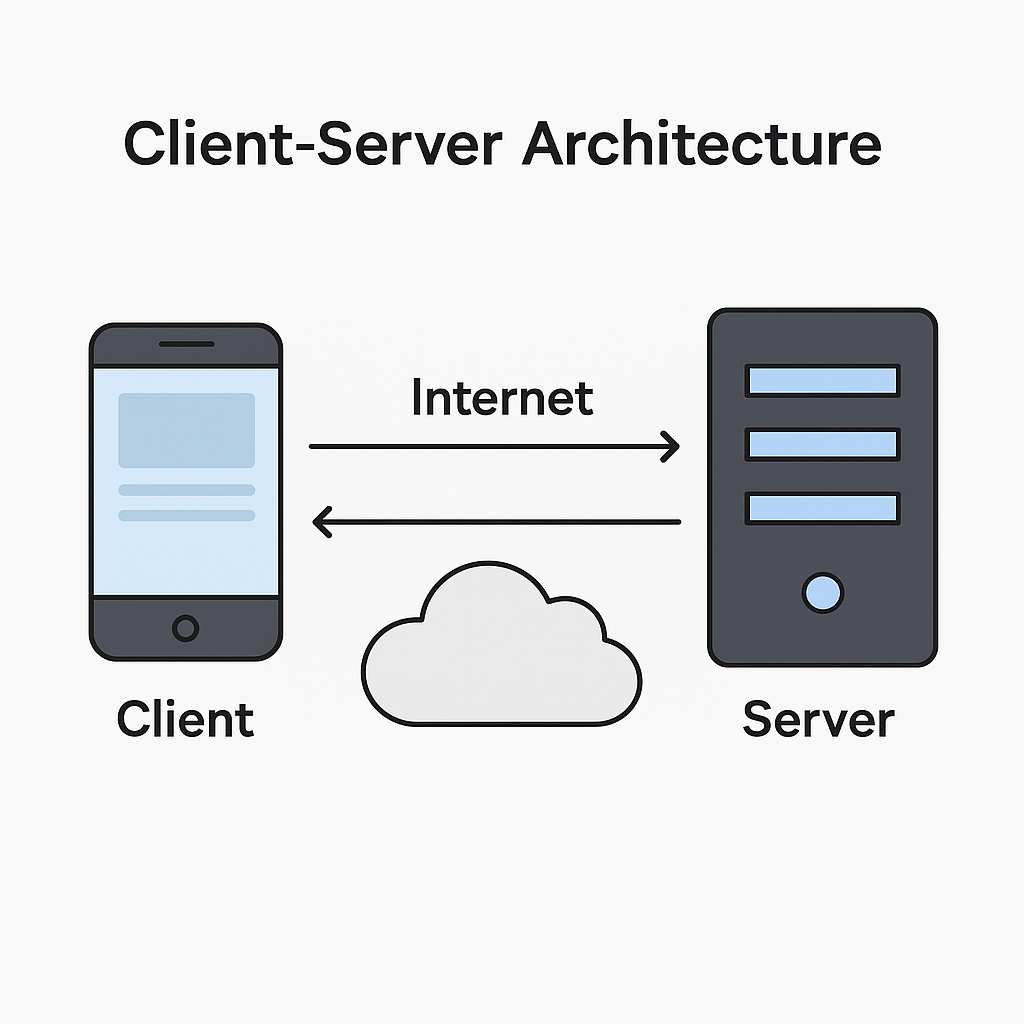 Image credit - chatGPT
🌐 IP Address
Every device, including your server, has an IP address — like a phone number — so they can locate each other over the internet.
🌍 Domain Name System (DNS)
Instead of asking users to remember your server’s IP (e.g., 123.45.67.89), you register picshare.com. DNS translates this human-friendly name into your server’s IP address.
🛡️ Proxy / Reverse Proxy
As traffic grows, you put a reverse proxy (like NGINX) in front of your app. It distributes requests to backend services and hides internal server details from users.
 Image credit - freepik
⏱️ Latency
You notice it takes time to upload or load photos. That delay is called latency. You start optimizing your system to reduce this.
🔒 HTTP/HTTPS
PicShare uses HTTP to transfer data. To protect users (especially during login), you switch to HTTPS for encrypted communication.
PHASE 2: COMMUNICATING WITH THE BACKEND
🔁 APIs (REST / GraphQL)
The frontend sends requests to the backend through APIs. REST and GraphQL are two common approaches.
📥 REST API
You start with REST. Users can:
GET /photosPOST /uploadDELETE /photo/:id
🧠 GraphQL
As the frontend grows complex, you switch to GraphQL. Clients now request exactly the data they need — no more, no less.
PHASE 3: STORING USER DATA
🗃️ Database
You need to store user info, photos, likes, and comments. You pick a relational database like PostgreSQL.
📊 SQL & NoSQL
- SQL is great for structured data (e.g., users, likes).
- NoSQL helps store flexible or semi-structured data like tags or settings.
PHASE 4: GROWING THE PLATFORM
🧱 Vertical Scaling
At first, you just upgrade your server — more CPU and memory.
🧬 Horizontal Scaling
Soon, you add more servers to handle user traffic. This is horizontal scaling.
⚖️ Load Balancer
You add a Load Balancer to distribute traffic:
- Round Robin: Send requests in order.
- Least Connections: Send to the least busy server.
- IP Hashing: Stick user sessions to a specific server.
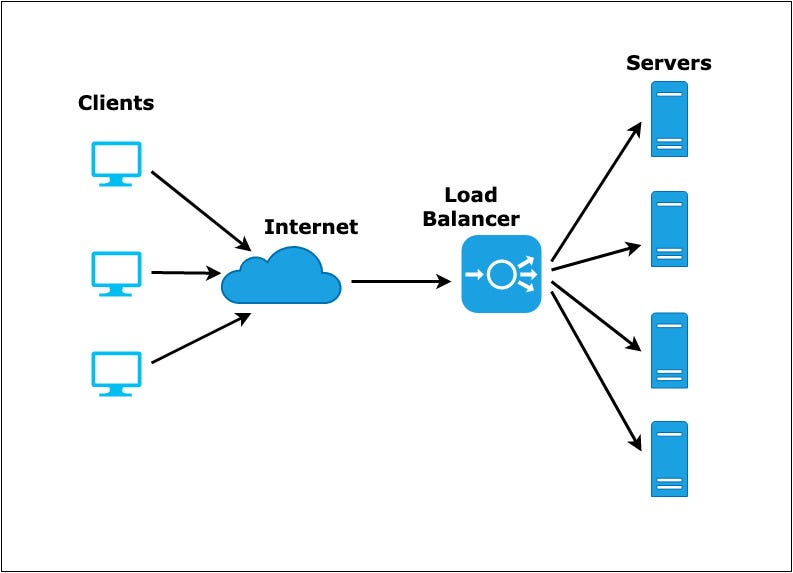 Image credit - codebrust
PHASE 5: OPTIMIZING DATA
🔍 Indexing
You add indexes on fields like username and tags to make searches lightning fast.
🧬 Replication
You set up database replication. A primary handles writes, replicas handle reads. This boosts performance and resilience.
🧩 Sharding
To manage growing data, you split it across databases:
- Users A–M → DB1
- Users N–Z → DB2
📂 Vertical Partitioning
You separate tables by purpose:
photoslikescomments
This reduces load and increases performance.
PHASE 6: HANDLING TRAFFIC EFFICIENTLY
🚀 Caching
Popular profiles and images are cached using Redis — reducing database hits and boosting speed.
🔁 Denormalization
You store duplicate data to avoid slow joins. For example, store the username directly with each comment.
⚖️ CAP Theorem
Now that you're distributed, you choose tradeoffs:
- Photo Feed → Availability + Partition Tolerance
- Payments → Strong Consistency
PHASE 7: DEALING WITH LARGE FILES & GLOBAL USERS
🧱 Blob Storage
Photos are heavy. You use Blob Storage (like AWS S3 or Firebase Storage) instead of storing them in your DB.
🌐 CDN (Content Delivery Network)
To serve users all over India, you use a CDN to deliver photos from nearby edge servers, cutting down latency.
PHASE 8: ADVANCED FEATURES FOR REAL-WORLD NEEDS
🔔 WebSockets
You implement live notifications using WebSockets — e.g., “XYZ liked your photo.”
🔄 Webhooks
When a photo is uploaded, a Webhook notifies the moderation service to check it for abuse or violations.
🧩 Microservices
As the app grows, you split the monolith into microservices:
- Auth
- Photos
- Notifications
- Search
📨 Message Queues
To decouple services, you use Kafka or RabbitMQ. Uploading a photo sends a message, and downstream services handle their part asynchronously.
🚫 Rate Limiting
To prevent abuse, you apply rate limiting — e.g., max 10 requests per minute per user.
🛡️ API Gateway
You add an API Gateway. It routes traffic, applies rate limits, handles authentication, and improves security.
🔁 Idempotency
If a user clicks "upload" multiple times, the system processes it just once. This ensures idempotency.
🎯 Final Thoughts
PicShare’s journey from a basic web app to a distributed, scalable platform showcases real-world system design concepts in action.
What started simple evolved into a robust system — built for millions, optimized for speed, reliability, and growth.
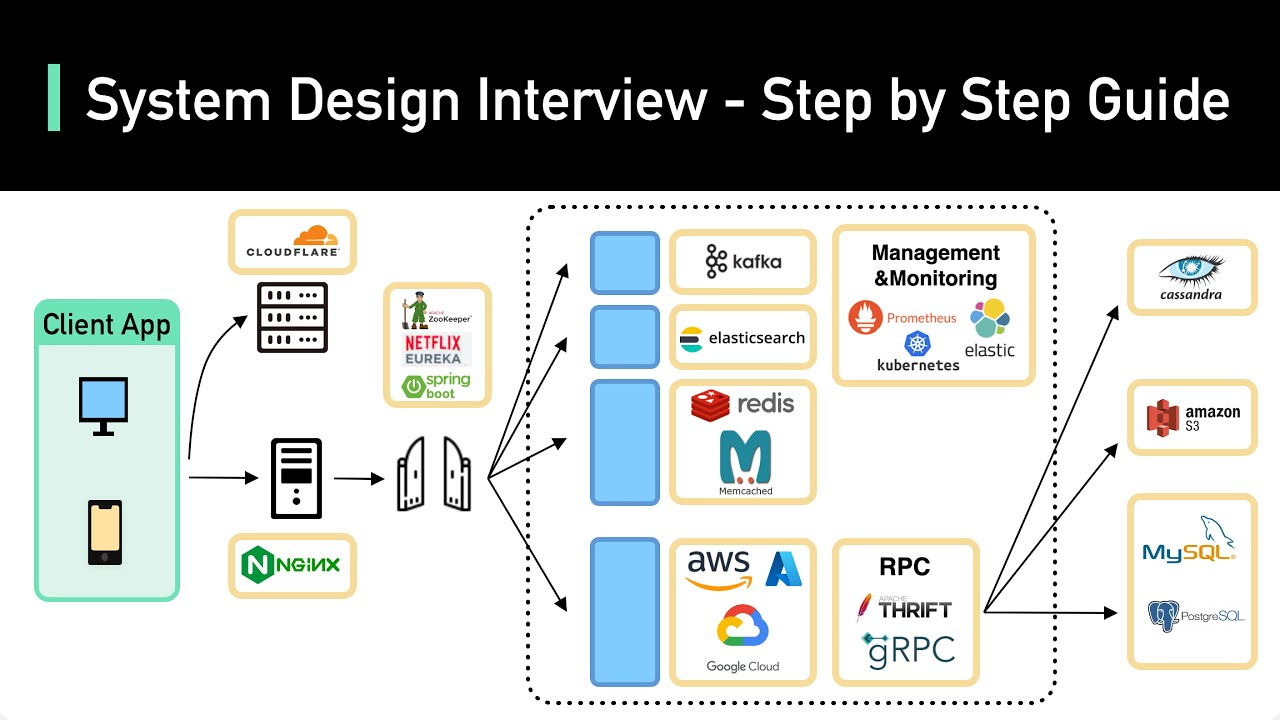 Image credit - yt/bytebytego
This post is inspired by - Ashis Pratap Singh
👉 Follow for more beginner-friendly study content.
Article by — Analyst Sayan